Posted on January 29, 2012
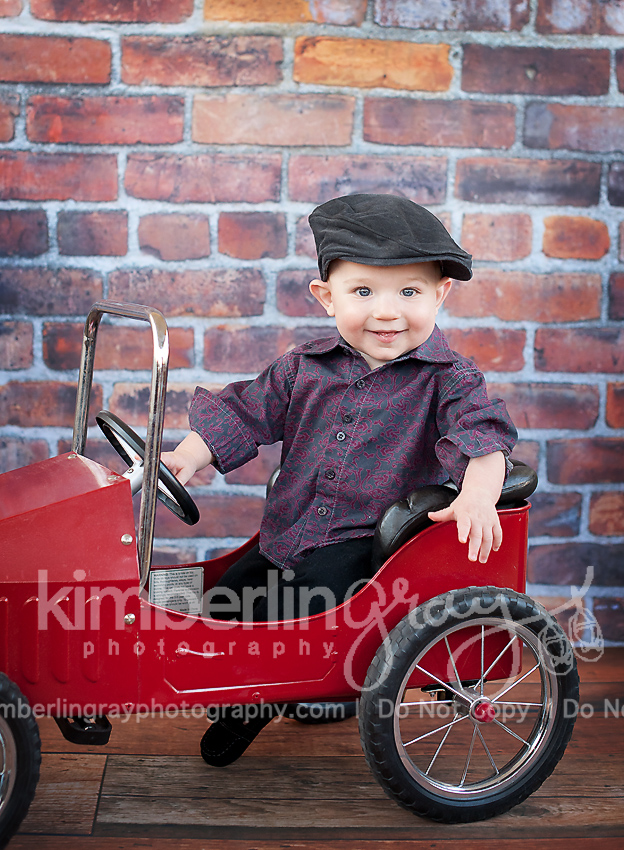
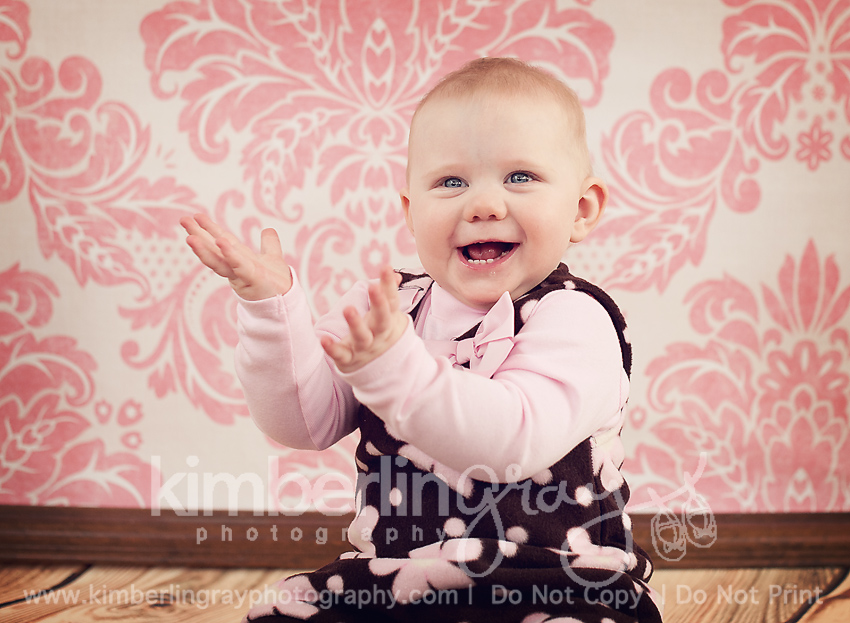
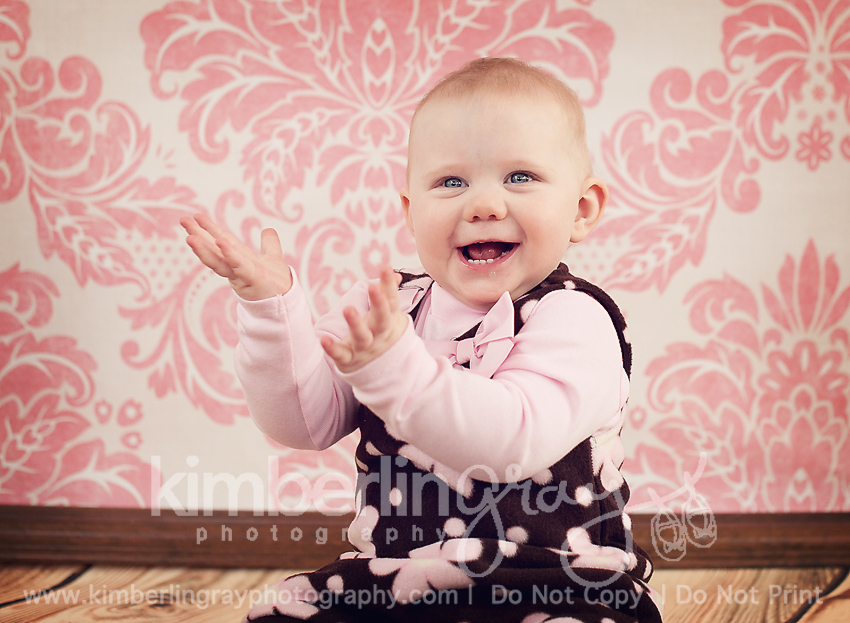
This little guy is fast becoming one of my favorites to photograph! His big blue eyes and those cheeks just make me melt, and he is so easygoing and smiles up a storm! So hard to choose just a few favorites, so this might be a bigger peek than normal!
Posted on January 26, 2012
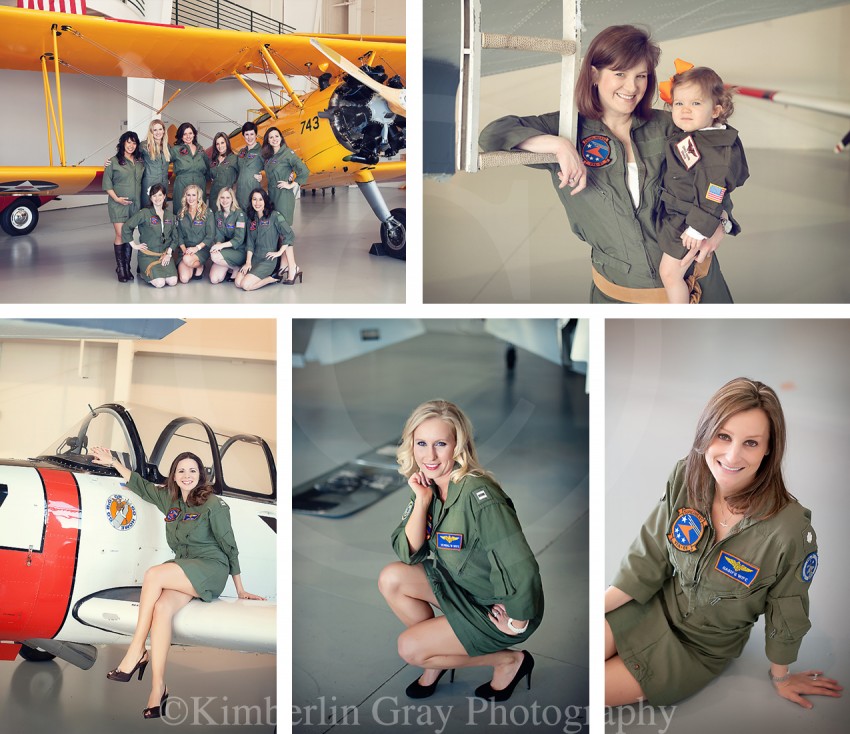
Do you pin? Of course you do! But if you haven’t found Pinterest yet, today is your lucky day! It’s an online visual bookmarking site that many of us have begun using to store ideas for crafting, photography, recipes, home decor ideas, and just about anything else you can think of! Beware: It’s addicting! I’ve spent many, many hours pinning away….and I think this just about sums it up:
If you need an invite, send me an email at kimberlin.gray@gmail.com and I’ll get you one ASAP so that you can participate in the contest.
To snag a Pin It button bookmarks bar to easily pin from any website, go here: http://pinterest.com/about/goodies/
Now on to the details – and what an AWESOME GIVEAWAY this is!
The fine print:
*Not applicable to birth sessions, and we do not offer weddings.
*No purchase necessary.
*Winner must live in the Hampton Roads area or be willing to travel. Newborn sessions are held in the KGP home studio only.
*Winner will be chosen by panel of judges including Amanda McGhee, owner/photographer of Kimberlin Gray Photography.
*Winner must email kimberlin.gray@gmail.com within 2 weeks to schedule session. Session must be held on or before May 1, 2012.
A special thanks to Jennifer Warthan for the idea and some wording of this contest.
Posted on January 25, 2012
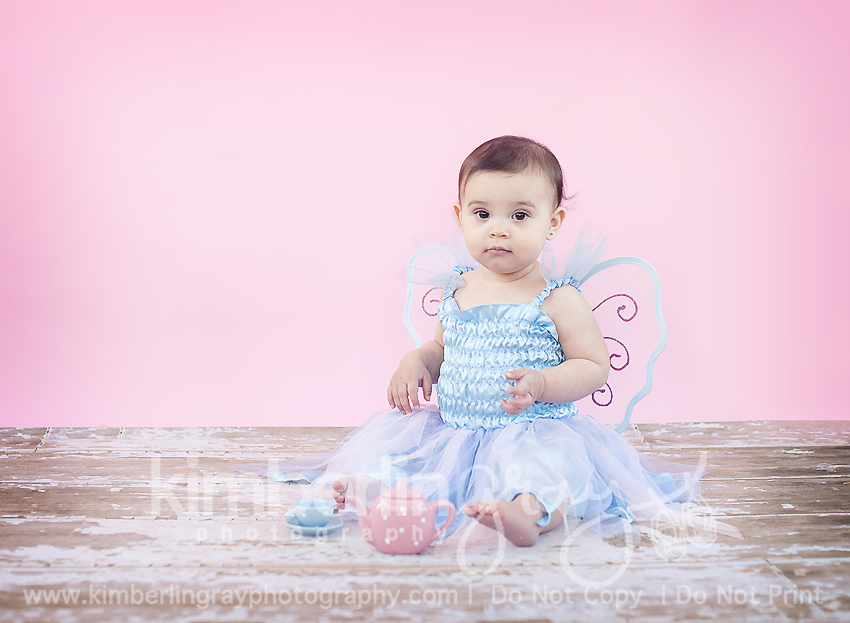
My boutique cake smash sessions include both traditional birthday portraits AND a themed cake smash! We started with a fairy tea party and then moved on to a sweet winter dress and cake smashing! I was so excited to see this beauty again since she was one of my favorite newborn sessions of 2011. We decided to do a ‘winter themed’ smash and I was thrilled with the way it turned out!
Posted on January 21, 2012
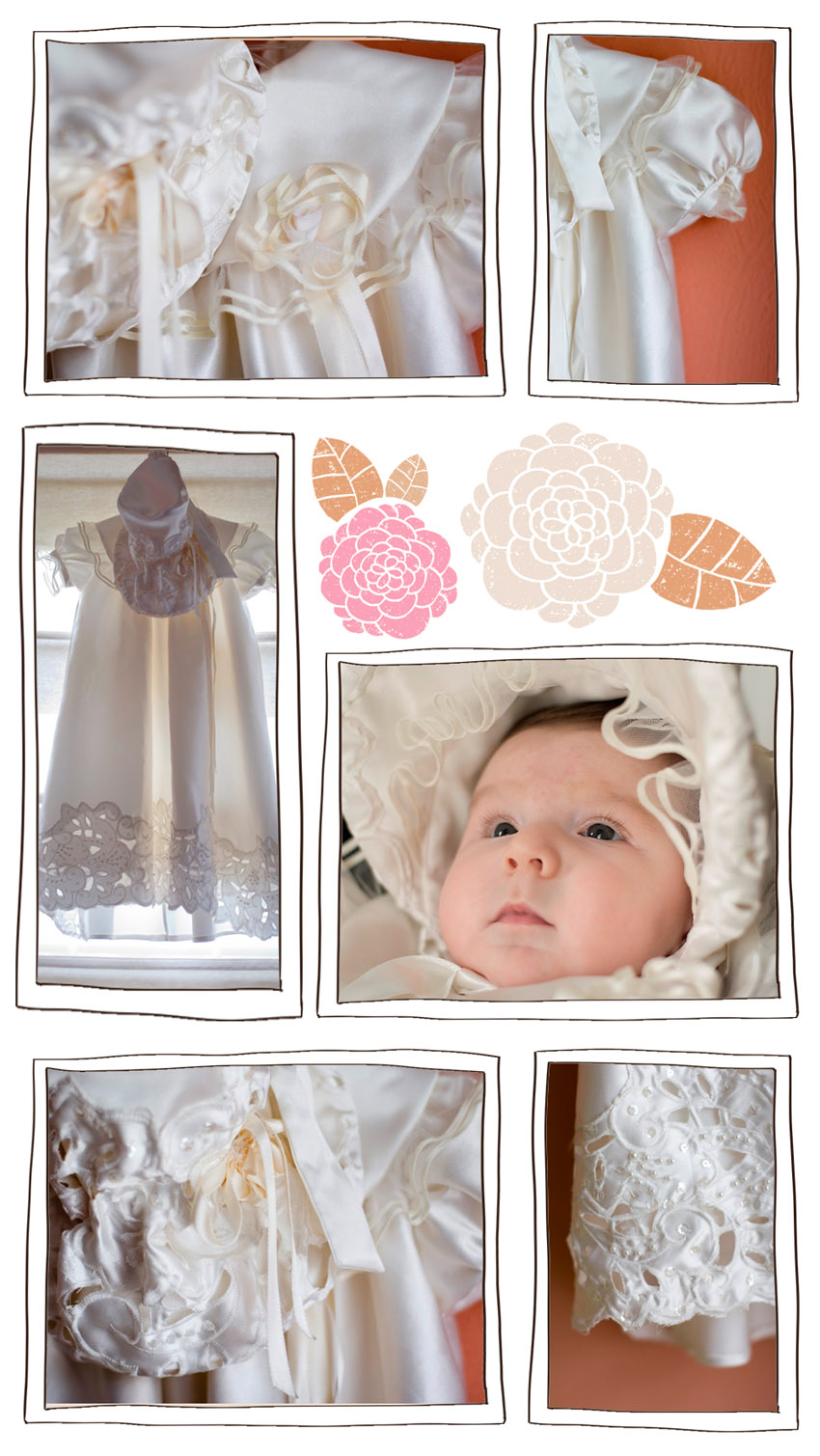
I have recently discovered Pinterest and have been marveling at the unique, amazing, and clever ideas that I’ve found. Then I realized that *I* did something unique and clever…with my wedding dress! What do you really do with it? Your dress, I mean. After the wedding, you either keep it hanging in a closet, pay a few hundred dollars to have it preserved (to keep it in a closet) or sell it. Well, I didn’t want to do those things with mine. I am not sentimental and didn’t figure my future daughter (if I had one) would want to wear my dress. I would rather she get to pick out her own perfect dress someday. But I love the idea of heirlooms dresses. So, when I did have a baby girl and was looking at christening gowns, I realized that my wedding dress could be recycled and made into a gorgeous, heirloom gown for her to wear to church that baptism day.
My amazing aunt Ilo, who is one of the best seamstresses I’ve ever known, took the challenge and ran with it. I knew the dress would be pretty, but I didn’t realize the detail and painstaking work she would put into this project. She used my beaded train on many parts of the gown. She used my veil and the ribbon edging for the collar and ruffled sleeves…it was gorgeous and special and will always be treasured. The final piece was the bonnet. It was over-the-top! But the dress will always be a treasure and hopefully, someday, my daughter’s daughter will wear it at her baptism, too. How awesome is that? I’ve included a couple wedding pictures (remember it was 1999, so don’t judge).
And it was pre-digital, so I had to take a photo of the picture in my album to share them here!)
*Photos by Jessica Riehl (thanks, Jess!)
The original wedding dress:
*Photos by Andrews Photography, Decatur IN
Ava in her gown and bonnet:
Posted on January 20, 2012
Today is the first of a series I hope to continue called, “Ask Me Anything”. I love to teach and sharing a little bit of insight into the world of custom portraiture is very rewarding to me. There are the questions that were submitted. Enjoy!
How did you get started in photography? Did you go to school for it or are you self taught?
I got started in photography after my daughter was born – like many new(er) photographers, the lure of digital photography was so great when I was wanting to capture those precious moments, but my camera didn’t seem to cooperate. Babies and toddlers are FAST and I was constantly frustrated by only catching the back of her head or missing that flash of smile.
First, I made the classic mistake of asking a photographer I knew, “What kind of camera do you have – I want to take pictures like yours!” Not knowing how rude it was to assume that the quality of her portraits was just the camera in her hand. (eek!) Now I realize it’s more than just the camera – and it’s not as easy as pressing the button on a fancy new camera! ??I have a Bachelor’s and Master’s Degree in Early Childhood Education, but no formal photography training. I do believe strongly that my foundation in child development helps me to have a successful business with babies and families, though. Working with children, you must know the difference between the ages and stages – and when to employ a certain type of humor or have that extra minute of patience.
Do you use natural light or studio strobes in your home studio?
Every shot you see from my studio is completely natural light. I do use a speedlite during overnight, dark births but my portraits are all done either outside or in my home studio (which is a windowed-in sun porch attached to my home).
When it comes to simple image editing what do you recommend?
For simple image editing of family snapshots, I think iPhoto is very good. You can crop, edit red-eye, change the brightness/contrast, etc. If you are a budding photographer, investing in Photoshop Elements is a must. It is a more basic version of the ‘big’ Photoshop program, but honestly has everything anyone would need to begin learning the program and learn how to edit photos more professionally. If you are a student (or have a student in your home) you can get a student discount on Photoshop (any version!) and it’s a HUGE savings!
I’d love a great starter DSL what do you recommend and why? If I could only purchase one lens…. ?
I recommend Canon or Nikon if you are going to invest in a starter DSLR. They are the two most professionally recognized brands and you really do get what you pay for! If you have never owned a DSLR before, the base model will absolutely be enough for you. No need to spend hundreds of extra dollars on buttons and settings that you will most likely not use. I started my business with a Canon Xti – but because I had learned how to shoot in manual and use all of its functions, it served me very well. I upgraded when I NEEDED to – when I wanted to do more with the camera than it would allow. Here is a really great article I recommend reading if you are considering the purchase of a DSLR:?http://katelynjamesblog.com/dslr-vs-the-point-and-shoot/
If you’ve decided to go for it and are committed to learning more about how to use your camera in manual mode (or aperture priority), the first lens to buy is the 50mm 1.8. It is relatively inexpensive, but will help you to master that camera in no time!
Where is the best place to order images on canvas? And why?
The best place to order your image as a gallery wrapped canvas is from your professional photographer. Seriously, I’m not just saying that! Canvases have become very popular recently with the Groupon deals. But what most people don’t realize is that when you add a gallery wrap to an image, the company takes 2 inches off EACH SIDE of your picture to wrap around the edges. That means that if there are heads or hands or limbs anywhere near the edge of a photograph, they are going to end up wrapped around the top, bottom, or sides of your canvas. Sometimes, this is not a big deal – sometimes, the picture ends up looking very odd or choppy! There have been very few times where I have not had to adjust an image in my editing software to make it look right on canvas – by adding space or background or even going back to my original shot and cropping the file differently so that it gives the company enough room to wrap the edges. Also, some canvas companies will color correct your image – which means they could add a layer or contrast or sharpening or color to the file before printing it on canvas. Some canvases end up darker than the image looks on the screen because of their printing process or the quality of materials they are using. Printing through your photographer (who took the image and painstakingly edited it) will ensure that it looks on canvas exactly the way it should! ??Now, I cannot speak to the quality of all consumer canvas companies. Canvas on Demand often runs Groupon deals which are SUPER cheap. $45 for a 16×20 gallery wrapped canvas is almost obscene.
If you’ve never had a canvas and want to try them out to see if you like that look, I say try it out with them at that price – you can’t beat it. But if it comes down to a showpiece in your home, trust your photographer. It’s worth the extra cost!
Best Tips for photographing the constantly moving toddler??
First tip: Lower your Expectations! If I am photographing a toddler between the ages of 15 months (or whenever they start walking really well) up to about 3 years old, I mostly follow them around and capture what they are doing, interacting with them and getting their attention every once in a while. You very rarely can pose a toddler – so expecting them to sit in a certain spot and smile for the camera is asking for a bit much. Some toddlers are more active than others – depending on your child’s personality, you can attempt things. I usually allow them to explore their environment or give them little activities to do (sit with a bucket and shovel on the beach, smell the flowers at the park, sing a song, blow bubbles, etc.) and then use squeaker toys or shakers to get their attention and have them look up momentarily! Remember that toddlers have the attention span of…..well, they really don’t have one – so you have to be constantly changing your approach and bring lots of energy and positivity with you! ??A side note: I hire other photographers (yes, actually pay them their going rate!) to photograph my children. They don’t listen to me – they know all my tricks, and I get frustrated WAY too easily with them. It’s much easier to be patient with someone else’s children. So, if you want those beautiful portraits of your children, invest in a custom photography session at least once a year! I do!
Do your clients come to you mostly by word of mouth or is it a mix of word-of-mouth and advertising? Have you ever advertised in a local magazine, if so – did it work?
Nearly all of my clients have come to me by word of mouth or finding my website on Google. I have not yet paid for advertising. Thankfully, I have clients who are wonderful and pass my name on to others. I’m always amazed at what a small world it is. I was recently showing a sample product to a new client who said, “Hey – I work with that guy!” Plus, Facebook is an amazing resource. When people share my photos on their Wall, 300 of their friends and family members see them instantly! I love that!
Do you use any actions or lightroom presets? If so, would you share which ones?
I do not use any particular actions or presets on a regular basis. Depending on the ‘mood’ of the photo or the lighting in the photo, I will run an action and adjust it to my tastes. The best set of actions I ever invested in is a set from MCP Actions called “The Quickie Collection”. They include quick actions to warm up, cool down, brighten or sharpen. Just little boosts to help the process. As for newborn portraiture, I have made my own special action including some from the Quickie Collection. But on the whole, I like to process each photo individually. I don’t think there is one ‘right’ action for very photo in a session. Also, when using actions PLEASE learn layers and masking. Texture and actions almost always need to be erased from the skin (especially on babies!!) or you risk having a very odd looking person in your photos. If you don’t know how to use layers or masks in Photoshop, google it or go to youtube and find some tutorials. Most Important Photoshop Lesson Ever!
Hope you enjoyed these Q&A’s – if you have a question for our next Ask Me Anything post, feel free to send it to me at kimberlin.gray@gmail.com!